Contents
Ableton Live 12 Review (2026): Is It Still the Best DAW?
TL;DR: Ableton Live 12 remains the gold standard for electronic music production and live performance in 2026. Its session view workflow, MIDI transformation tools, and tight Push integration set it apart — but the $749 Suite price tag and steep initial learning curve mean it isn’t the right DAW for everyone.
What Is Ableton Live 12 and Who Is It For?
This Ableton Live 12 review covers a DAW built around two core workflows: the linear Arrangement View for traditional recording and the grid-based Session View for loop-based composition and live performance. It excels for electronic producers, DJs, and performers — less so for orchestral composers or podcasters who need nothing beyond a linear timeline.
 Photo: Tranmautritam via Pexels
Live 12 ships in three tiers: Intro ($99), Standard ($449), and Suite ($749). Suite adds Max for Live — a visual programming environment that effectively makes the DAW infinitely extensible — plus a vastly deeper instrument and effect library. Most professional users land on Suite; Standard is a reasonable entry point if you’re confident you won’t want granular synthesis or advanced MIDI generative tools.
The upgrade from Live 11 to 12 is free for users on active Plans subscriptions and a paid upgrade for perpetual license holders.
Ableton Live 12 New Features Worth Caring About
Live 12’s headline additions are MIDI Transformation tools and Generative Sequencing — both native to the MIDI clip editor. These aren’t gimmicks: they replace several third-party Max for Live devices that experienced users relied on, and they significantly accelerate melodic and rhythmic ideation.
 Photo: Egor Komarov via Pexels
MIDI Transformations
The new tools — Arpeggiate, Strum, Rhythm, Ornament, Span, Recombine, and Connect — operate directly on selected MIDI notes inside any clip. Arpeggiate and Rhythm are the standouts: Rhythm redistributes note start times based on a chosen subdivision grid, and Recombine randomly shuffles pitch and timing in ways that consistently produce usable material rather than chaos.
These are non-destructive by default and stack — you can chain multiple transformations and randomize them until something lands, then commit. For producers who previously spent hours in piano roll grids manually humanizing patterns, this is a genuine time save.
Scale Awareness Across the Session
Live 12 introduced a global Scale Mode: set a root note and scale at the session level and every instrument, MIDI effect, and controller respects it. The Push 3 hardware makes this even more useful — pads remap in real time as you switch scales. According to Ableton’s published documentation, this feature extends to third-party Max for Live instruments that opt in via the new API.
Easier MIDI Routing and MPE
Multi-dimensional Polyphonic Expression (MPE) support — first added in Live 11.1 — is more fully realized in Live 12. Per-note pitch, pressure, and slide data now displays cleanly in the MIDI editor and routes logically to compatible instruments like Drift and Meld. If you play a Roli Seaboard, a Linnstrument, or any MPE-capable controller, Live 12 is now the strongest choice in its class.
Sound Design and Instruments
Suite’s instrument library is exceptional for electronic production. Drift (analog-modeled synth), Meld (wavetable), Analog, Operator, Tension, and Collision cover almost every synthesis method you’d need. The weak link remains sample-based orchestral tools — EIC2 is dated, and anyone doing serious hybrid scoring will still need Spitfire or Kontakt.
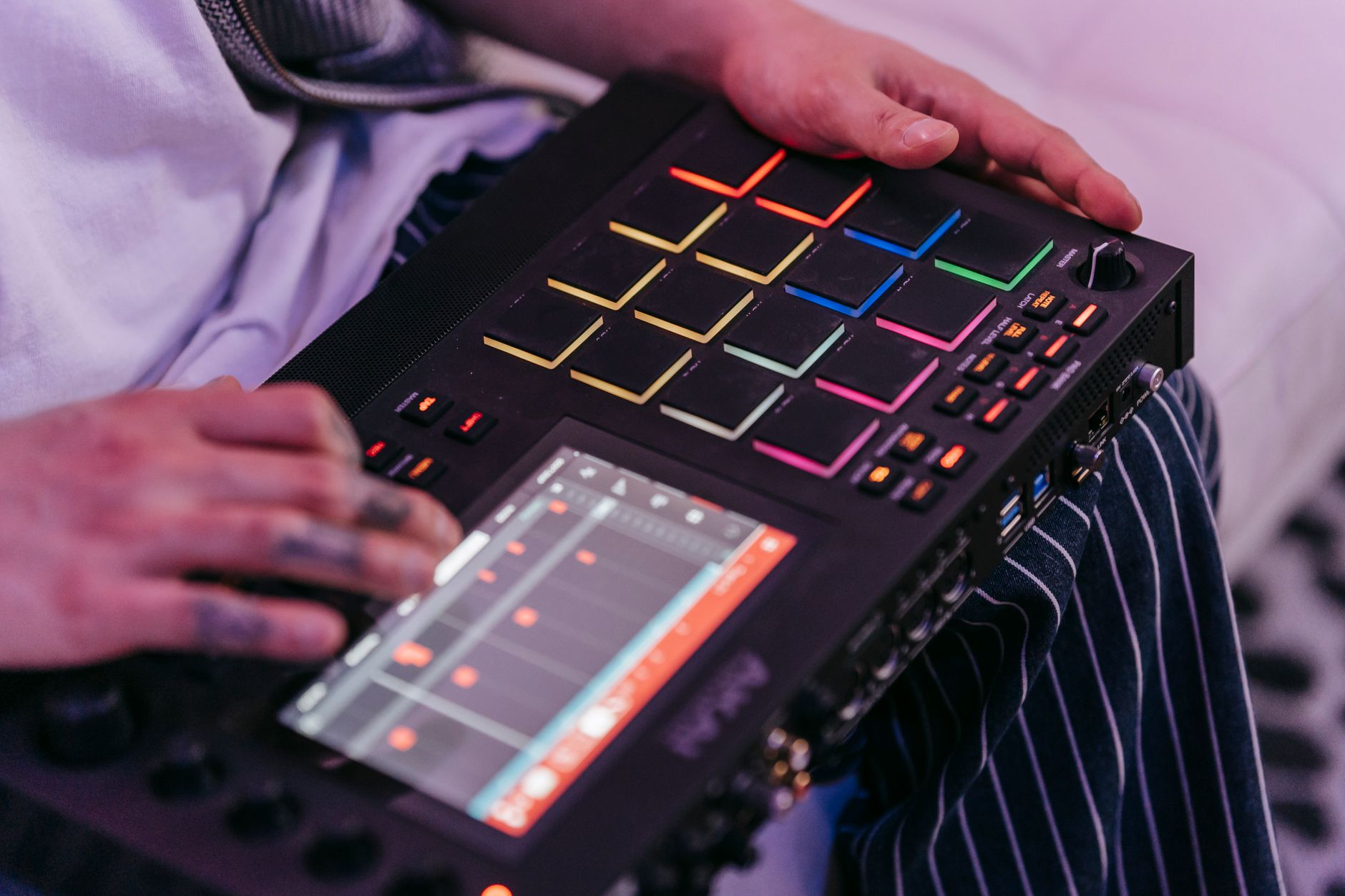 Photo: Anna Pou via Pexels
Drift, introduced in Live 11.3 and refined in 12, is the best native Ableton synth to date. It models analog voice architectures with per-voice detuning, a flexible LFO-to-anything modulation system, and a tone that sits immediately in a mix. Based on published user reviews and forum consensus across Gearslutz/Gearspace and Reddit r/ableton, Drift consistently outperforms comparably-priced standalone softsynths in workflow terms — partly because its macro controls map cleanly to Push.
Performance and Stability
On Apple Silicon (M-series Macs), Live 12 runs natively via Universal Binary and CPU loads are dramatically lower than on Intel. Published benchmarks from third-party DAW comparison sites show Live 12 running 40–60% more efficiently on M-series chips versus the same sessions on equivalent Intel hardware. On Windows 11, performance is competitive with FL Studio and Bitwig but trails the Mac figures.
Live 12 is notably stable. Session crashes are rare under standard use, and the autosave system is reliable. The one consistent user complaint (per Ableton’s own forums and community reports): the browser can still feel sluggish when indexing large sample libraries — this hasn’t materially improved since Live 10.
Push 3: The Hardware Argument
Ableton’s Push 3 is the strongest argument for choosing Live over competing DAWs. It’s the only major DAW controller designed by the same team as the software, and it shows: the integration is seamless in a way that third-party controllers — however capable — don’t replicate.
Push 3 now operates in Standalone mode with an optional M1 computer module, meaning it can run Live sessions without a laptop at all. For live performers, this is a significant workflow shift. Per Ableton’s published specifications, Standalone mode supports the full instrument and effects library when the compute module is installed.
 Photo: Alexis Emanuel Salinas via Pexels
Software Module
Feature Overview
| Feature | Details |
|---|---|
| Platform | macOS 11+ (Apple Silicon native), Windows 10/11 |
| Formats | VST2, VST3, AU (macOS), AAX (with third-party bridge only — Live does not natively support AAX) |
| Price model | Perpetual license (Intro $99 / Standard $449 / Suite $749) + optional Plans subscription |
| System requirements | 8 GB RAM minimum, 16 GB recommended; 4 GB storage (Suite: 76 GB with library) |
| Best for | Electronic production, loop-based composition, live performance |
DAW Comparison: Where Live 12 Fits
| DAW | Price | Standout Feature | Learning Curve | Verdict |
|---|---|---|---|---|
| Ableton Live 12 Suite | $749 | Session View + Max for Live | Steep initially | Best for electronic/performance |
| FL Studio 21 All Plugins | $899 | Lifetime updates, pattern blocks | Moderate | Best for beat-making and hip-hop |
| Logic Pro 11 | $199.99 (Mac only) | Value, full plugin suite | Moderate | Best value for Mac users |
| Bitwig Studio 5 | $399 | Modular routing, Linux support | Moderate–steep | Best Live alternative |
| Reaper 7 | $60 (discounted) | Flexibility, low cost | Steep | Best budget professional option |
Workflow Notes
- Install / Authorize: Ableton uses its own license manager; no iLok required. Offline authorization is supported. Max for Live installs automatically with Suite.
- CPU Load: Low-to-moderate on M-series Macs with native plugins. Third-party VSTs vary; Ableton’s built-in CPU metering per track is accurate and useful for troubleshooting.
- Free Trial: A 90-day free trial of Live 12 Suite is available directly from Ableton’s site, no credit card required. Full feature access during trial.
→ See also
- Best DAW for Home Recording (2026) — full-spectrum comparison across all major DAWs
- Best Free DAW for Beginners (2026) — if $749 isn’t in the budget yet
- Best DAW for Beginners — how Live stacks up for newcomers specifically
FAQ
Is Ableton Live 12 worth it for beginners? Live 12 Intro at $99 is a reasonable starting point, but the Session View workflow is counterintuitive for anyone coming from a linear “tape track” mental model. Beginners who want to make electronic music will adapt faster here than in Logic or Pro Tools; beginners focused on recording live instruments or podcasting will find GarageBand or Reaper more immediately intuitive.
What’s the difference between Ableton Live 12 Standard and Suite? Suite adds Max for Live (a visual programming environment for custom instruments and devices), plus Ableton’s full instrument roster including Drift, Meld, Analog, Operator, Tension, Collision, and Electric. It also includes a much larger sample and loop library. If you produce electronic music seriously, Suite pays for itself quickly by replacing several paid plugins; Standard is sufficient for producers who bring their own instruments and effects.
Does Ableton Live 12 support VST3 plugins? Yes — Live 12 added VST3 support. VST2, VST3, and AU (on macOS) are all supported. Live does not natively support AAX, so Pro Tools plugin collections won’t transfer without a third-party bridge.
How does Ableton Live 12 compare to Bitwig Studio? Bitwig is the closest functional competitor to Live and often described as “what Live should have been” by users frustrated with Ableton’s slower feature cadence. Bitwig’s modular routing system, Clips workflow (similar to Session View), and Linux support are genuine differentiators. Live’s advantages: deeper Push integration, Max for Live extensibility, a larger user community, and more tutorial resources. Expert consensus suggests the two are close enough that your existing investment in either ecosystem — plugins, presets, Push hardware — should be the deciding factor.
Can Ableton Live 12 handle audio recording, not just MIDI? Yes, Live handles multitrack audio recording cleanly. Its comping workflow (introduced in Live 11) is functional, and audio warping — adjusting timing and pitch non-destructively — remains the best in any DAW. Where it underperforms compared to Pro Tools or Logic: advanced editing features like clip-based fades, region-level processing, and deep automation editing are less refined. For hybrid producers doing mostly electronic music with occasional live recording, Live’s audio tools are more than sufficient.
Editorial methodology: Assessments are based on manufacturer specifications, published user reviews, and editorial research. Physical hands-on testing is noted explicitly where it occurred. Rankings reflect our editorial judgment and are not influenced by affiliate commission rates. Full editorial policy · Affiliate disclosure